Choose the route that matches your device
| Your goal | Use this route | What it does not prove |
|---|---|---|
| Try it on a phone | pokedive.com · original browser entry ↗ (external website, opens in a new tab); use landscape. [1] | A phone-sized menu is not a real-device gameplay benchmark. |
| Remove browser bars | Look for the original’s Install app / PWA option or the browser’s supported home-screen installation action. [2] | PWA installation is not a native APK/IPA download. |
| Play with no internet | Do not rely on this guide for an offline session. | We have not verified an offline startup, local server or disconnected save. |
| Move existing progress | Keep the original session and inspect its current account/save options. | Installing, signing in or changing browser is not evidence that a guest save has transferred. |
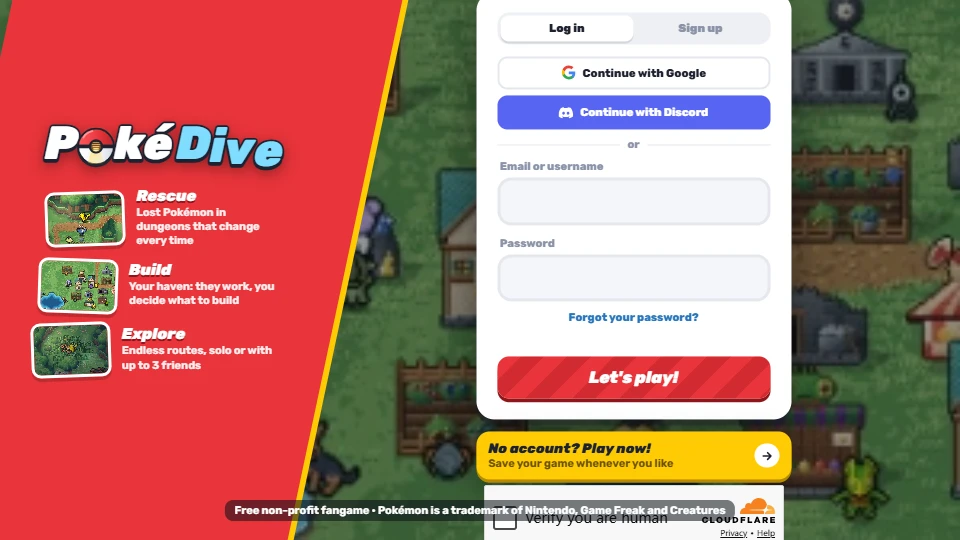
Before you press the final confirmation
- Open pokedive.com · English entry ↗ (external website, opens in a new tab) in your normal browser.
- Rotate to landscape if the menu is cramped. The game describes landscape phone support. [1]
- Complete any human-verification step on the original, then use its guest or account option.
- If a starter confirmation seems missing, check the whole panel for a scrollable area before assuming the choice failed. A Galaxy S23 user reported the confirmation below the initial view in the public-access thread; that is a dated report, not proof of a universal current defect. [3]
Our 5 November mobile check covered the original menu at phone-sized portrait and landscape viewports. A separate user-assisted signed-in check reached Mossy Woods Floor 1 in v0.7.4. That does not verify guest startup, a full mobile run or a physical iPhone or Android device.
PWA, APK and IPA are different routes
The developer’s Beta reply described an app-installation option under Settings as a Progressive Web App. Treat that as a way to launch the website from your home screen, not as an independently verified native package. Native mobile and desktop versions were described as future possibilities, not guaranteed release dates. [2]
If your browser does not offer installation, continue in the browser or check its own supported installation flow. We have not reached the current in-game Settings panel, so we cannot confirm where today’s install action appears. No third-party APK or IPA is endorsed by this guide.
Can you count on offline play?
No verified offline route is provided here. A home-screen icon and cached artwork can load while the game still needs its server. The developer’s public reply to a later offline-app question said that server processes prevent fully offline play; that later reply was available to us through search indexing rather than the current readable comment slice. Keep that evidence limit in mind. [2]
Plan on an internet connection. Before depending on any future offline claim, check a developer-supported route and confirm it preserves your existing progress; do not experiment by deleting your guest session.
If movement or building placement feels wrong
Players have reported mobile joystick drift, rubber-banding and awkward building placement. Reports establish the symptoms, not a universal fix. Changing to a PWA does not by itself prove that a network or input problem is solved. [2]
Record whether the issue is a hidden button, touch placement or movement snapping, along with the device, orientation and exact time. Send the report through pokedive.com · developer support entry ↗ (external website, opens in a new tab). Do not replace your existing save or clear browser data based on an unverified workaround.
Continue with the right task
Original entry and access-code checks explain which game to open. If your next question is whether an unusual Pokémon is shiny, use the dated shiny guide; phone installation does not change its reported odds.
Sources & checks
- pokedive.com · original game ↗ (external website, opens in a new tab) · Original entry and v0.7.4 menu, 5 Nov 2026; physical-phone performance not tested.
- Reddit · u/No_Farmer_7450, developer Beta discussion ↗ (external website, opens in a new tab) · Developer Beta statements about shinies and device access; read 5 Nov 2026. Same author, not independent tests.
- Reddit · developer public-access update ↗ (external website, opens in a new tab) · Developer public-access announcement, 28 Oct 2026; not a device-compatibility test.